SplatForge Deutsch Get SplatForge

Gaussian splatting,
start to finish,
on your Mac.

Photos or a video go in. A finished splat model comes out. Import, quality checks, COLMAP, training, viewer, editor and export live in one application — and nothing you shoot ever leaves the machine.

macOS 14 or later · Apple silicon recommended · no account, no upload

The SplatForge dashboard: project list, machine summary, production readiness and training engines.
01 MaterialImport & quality
02 SpaceCOLMAP
03 VolumeBrush training
04 OutputOptimize & export

Four steps, and the application knows which one you are on.

A project is a folder. The progress rail across the top of every view reads its state from the jobs that actually ran, so a cancelled run or a hand-placed file cannot leave it lying. Every step says what it is waiting for.

01 Material

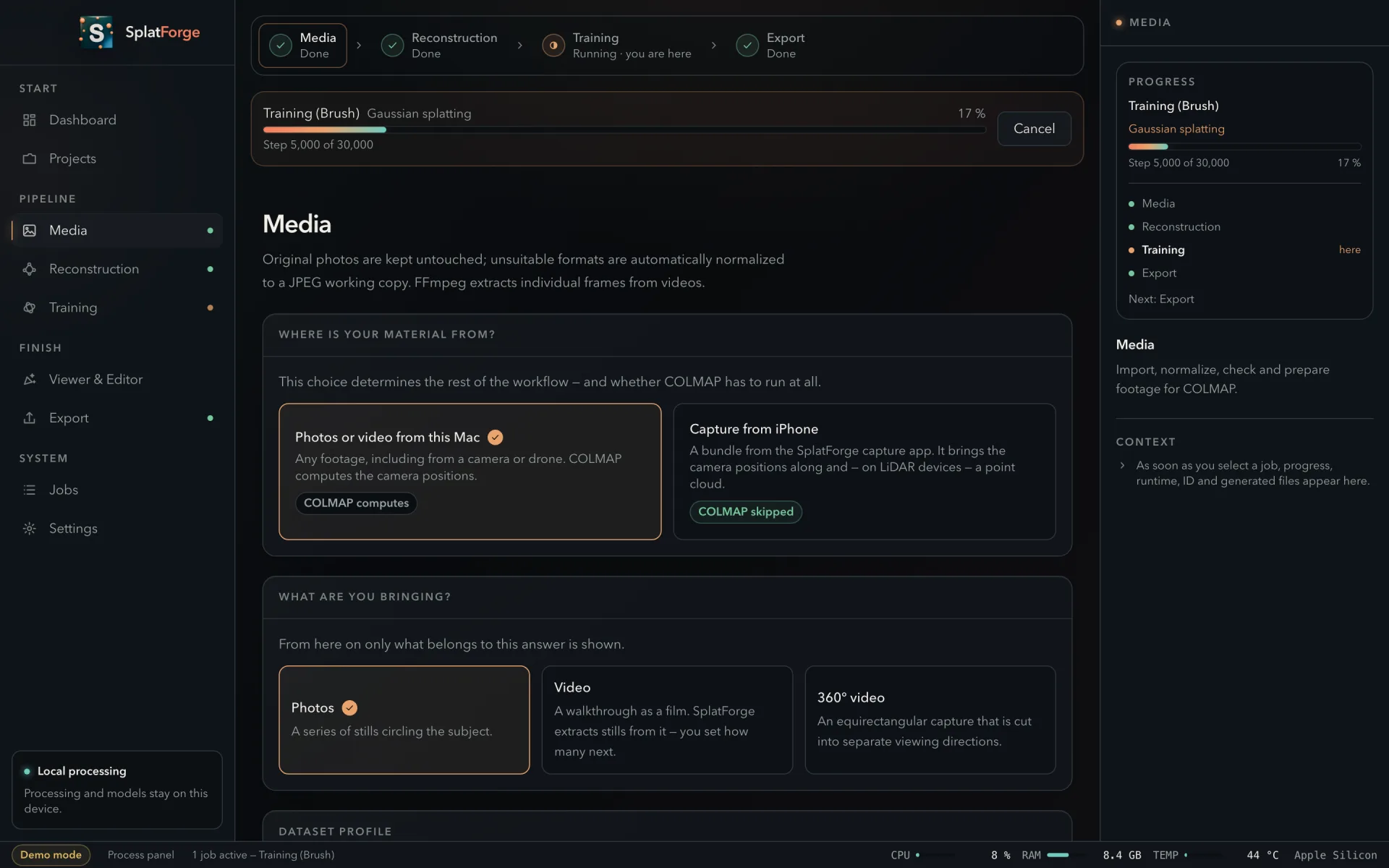
Bring in photos, a video, a 360° capture — or a bundle from the iPhone app. Originals are never modified; unsuitable formats get a JPEG working copy. Six capture profiles set image count and resolution to match what you shot, and each one can show you the movement it expects before you go out.

The Media view asking where the material comes from, what kind it is, and which dataset profile applies.

02 Space

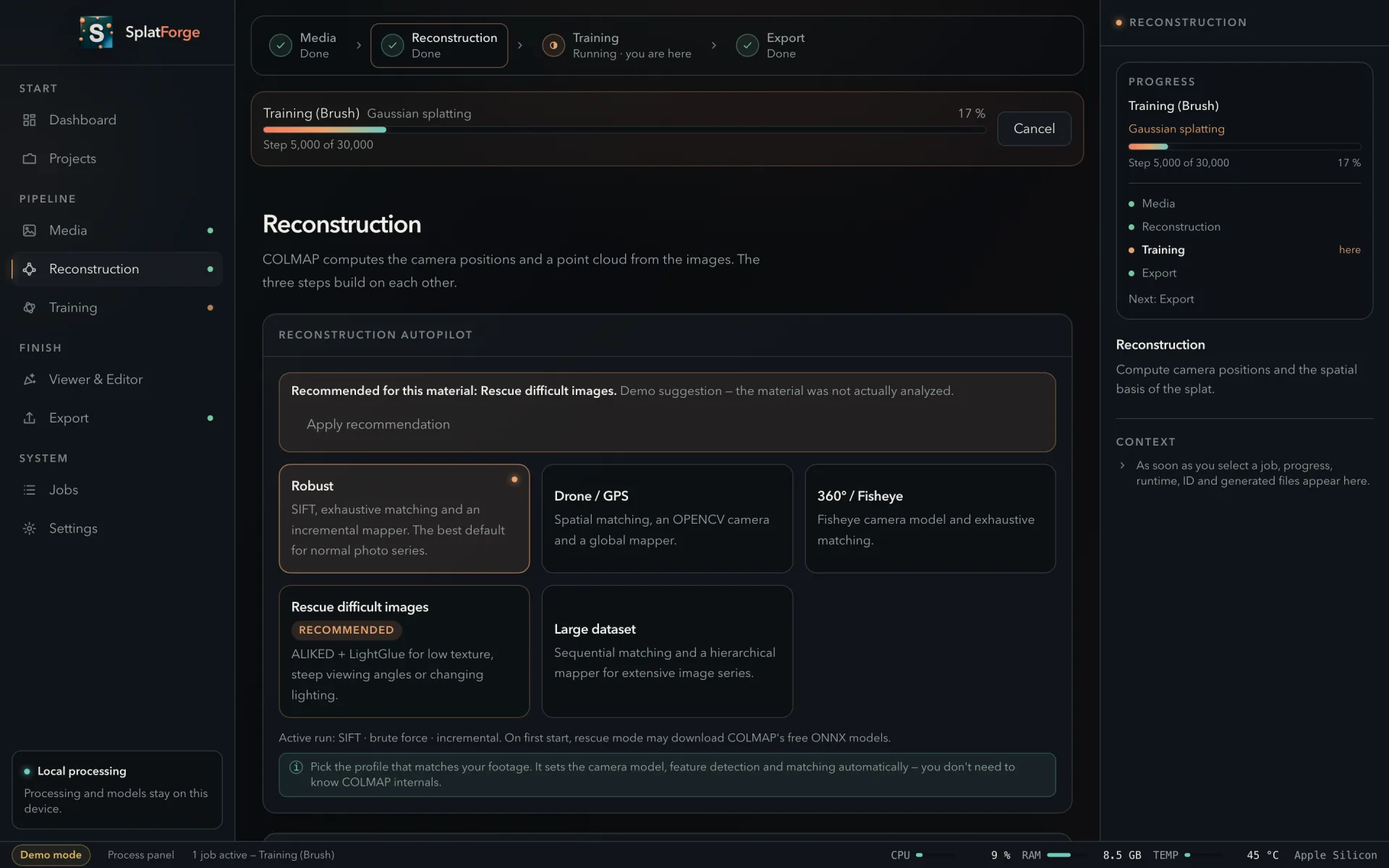
COLMAP works out where every photo was taken. Three steps build on each other, and the autopilot picks the camera model, feature search and matching strategy from your dataset profile — so you never have to know COLMAP's flags. When it only registers part of your set, it says so, and it says what to do about it.

The Reconstruction view with the autopilot profiles and the three COLMAP steps.

03 Volume

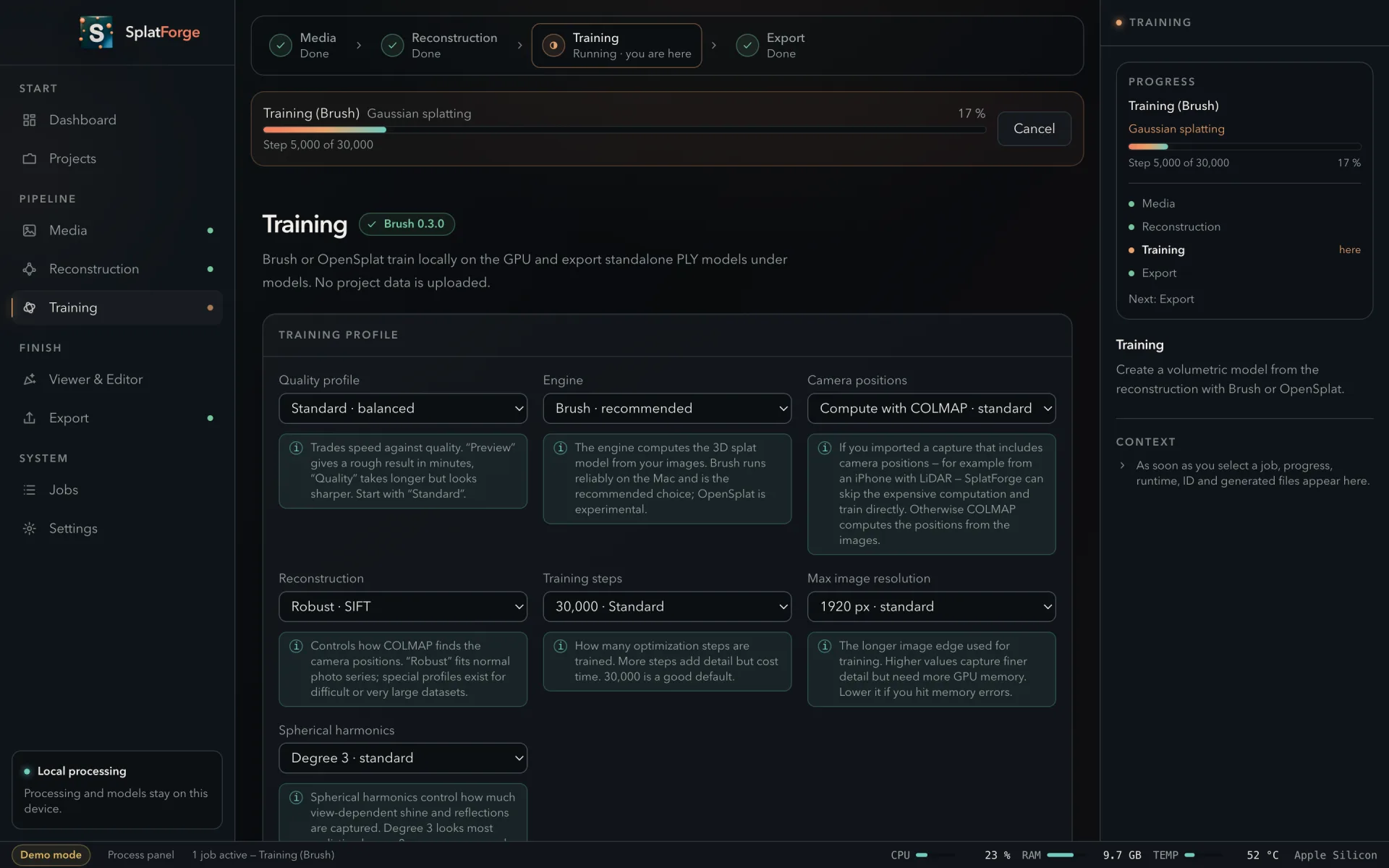
Brush or OpenSplat turns images and camera positions into the splat model. Progress, phase, elapsed time and machine load are on screen the whole way — a run that takes hours should never leave you wondering whether it is still alive.

The Training view with quality profile, engine selection and camera position source.

04 Output

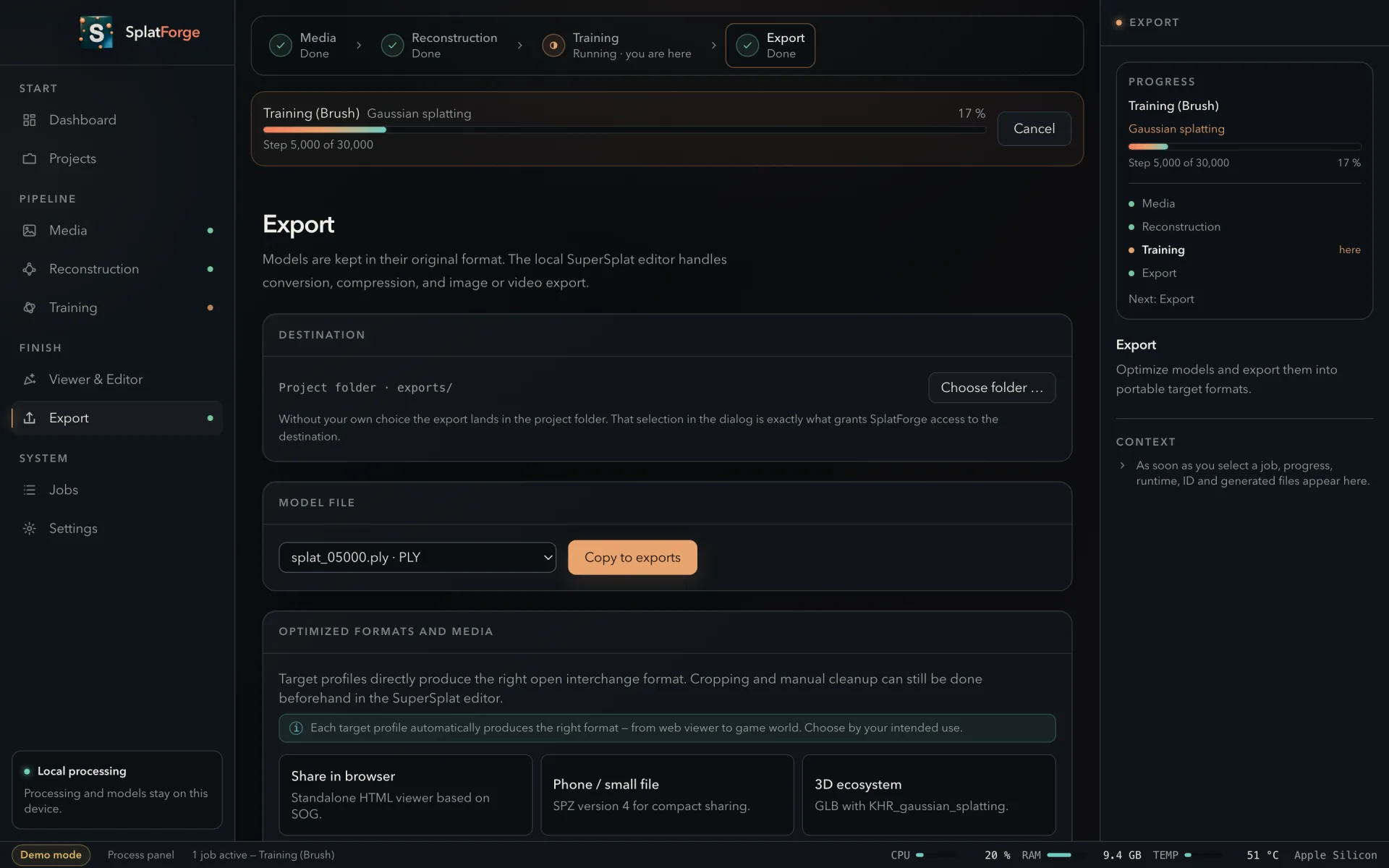
Write the model where you want it — the project folder or any folder you pick. Copy it as it is, or send it through one of five optimization profiles for the web, for mobile, for glTF, for level of detail, for collision. A portable project archive packs the whole thing up.

The Export view with the destination selector, model file and optimized formats.

Not a cross-platform shell with a Mac coat of paint.

SplatForge was written for this machine. That is not a slogan — it is visible in what the application can do and in what it refuses to pretend.

Training runs on Metal

Brush uses wgpu and runs natively on Apple silicon through Metal. No CUDA, no eGPU, no rented box — the GPU already in your Mac does the work.

Apple's Vision framework grades your images

The quality check runs on device through Vision — no purchased model, no cloud API, nothing uploaded. It scores every frame before you spend an hour reconstructing a set that was never going to work.

Local, or not at all

No listening port and no assumption about how anything travels. Access to a folder comes from you choosing it in a file dialog — that choice is the permission, and nothing outside it is readable.

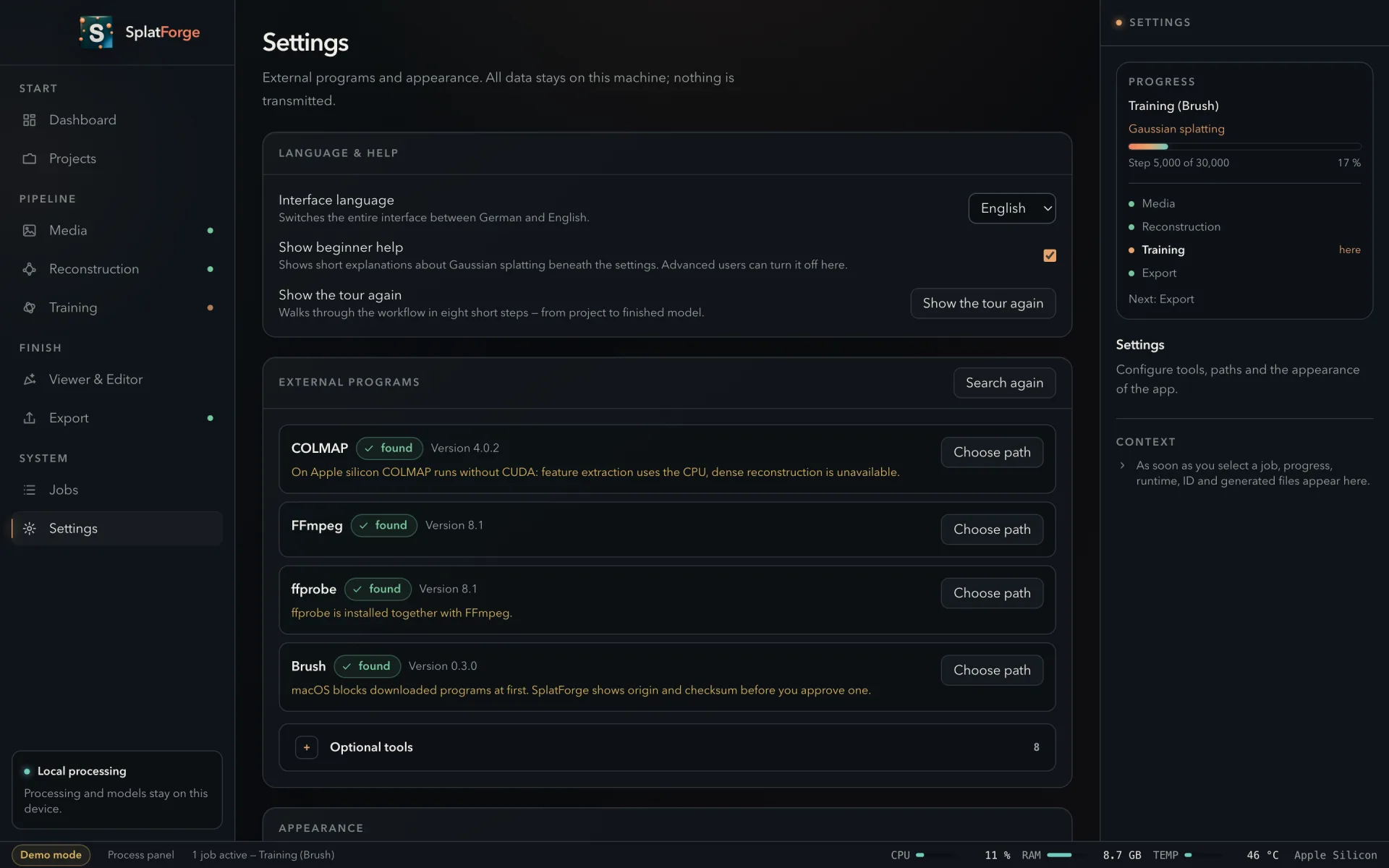
Settings showing detected external programs with their versions and paths.
Every external program is found, version-checked and shown with its path. What is missing is named, with the command that installs it — never run without your say-so.

The check that saves you an afternoon.

Reconstruction fails on the material, not on the maths. SplatForge reads every frame first and tells you what it found — before COLMAP spends an hour proving the same thing the slow way.

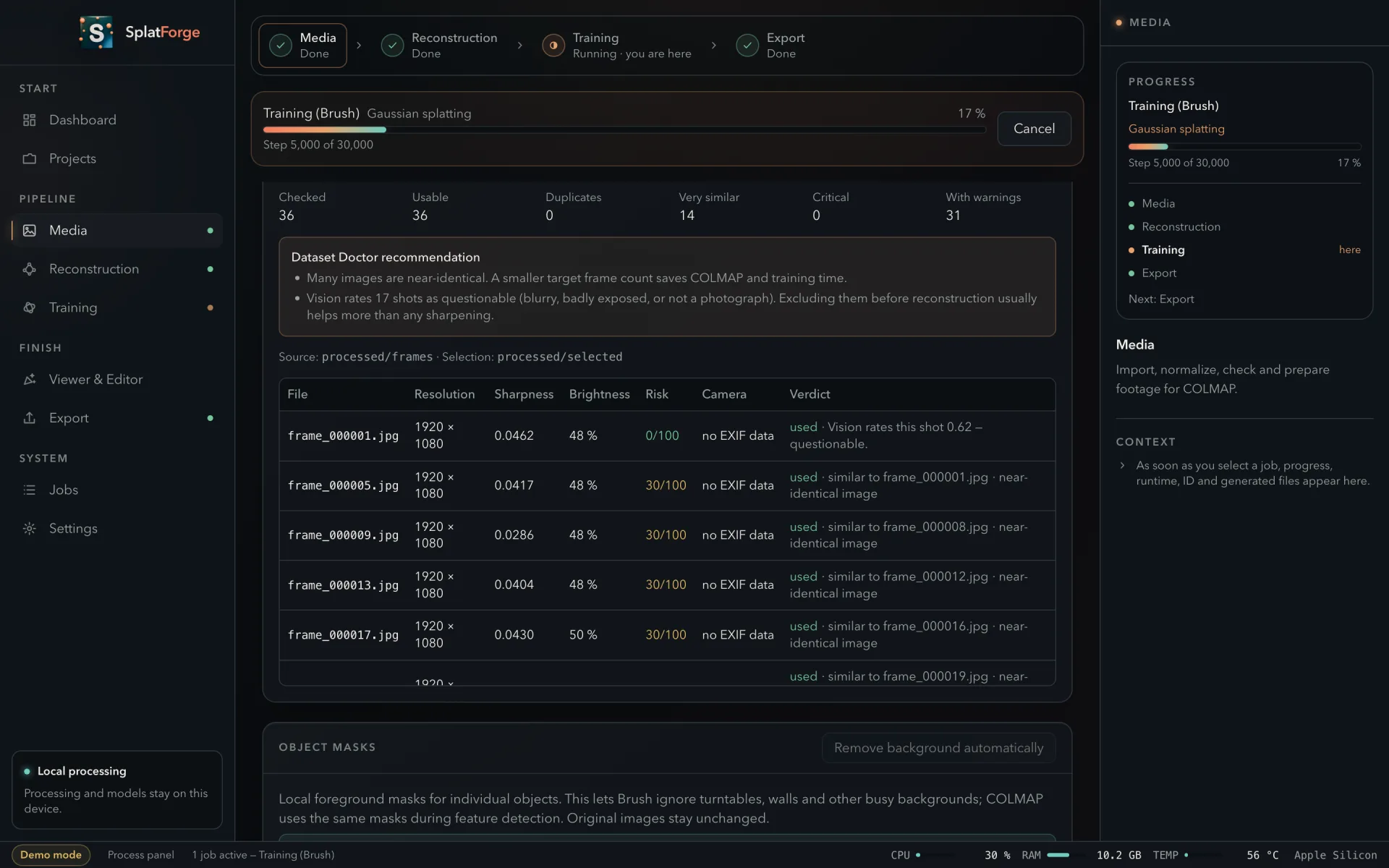
The image quality report: 36 checked, 36 usable, 14 near-duplicates, with per-image sharpness, brightness, risk and Vision verdict.
Sharpness, brightness, risk and Vision's verdict for every frame — plus the two recommendations the set earned. Every number here was measured by the application; the sample shown is 36 frames drawn evenly from a real 150-image run.

Only exact duplicates and severely mis-exposed frames are dropped automatically. Everything else is reported and left to you — the application does not quietly throw away your footage.

Shoot with the iPhone and COLMAP has nothing left to compute.

SplatForge ships a small capture app for iPhone. It photographs the subject and writes the camera position for every frame straight from ARKit. Hand that bundle to the Mac and the reconstruction step — the most expensive and most fragile part of the whole run — is simply skipped.

On a LiDAR device it brings a point cloud along too. Both devices meet in a folder they can both see; SplatForge watches it, picks up a finished bundle, and puts the model back in the same place. There is no port, no pairing and no assumption about how the folder syncs.

The capture app comes with SplatForge and is a separate download for the phone.
The capture app's gallery of recorded bundles.

Why the positions are the whole point

ARKit's convention and COLMAP's are not the same: one looks along −Z with +Y up and stores camera-to-world, the other looks along +Z with +Y down and stores world-to-camera. Between them sit an axis rotation and a matrix inversion, and that is exactly where exports like this usually break.

A contract test pins it. Eight cameras on a circle, and for every one of them the world origin must land on the optical axis two metres in front. Miss the rotation and it reads −2; miss the inversion and the magnitude is wrong.

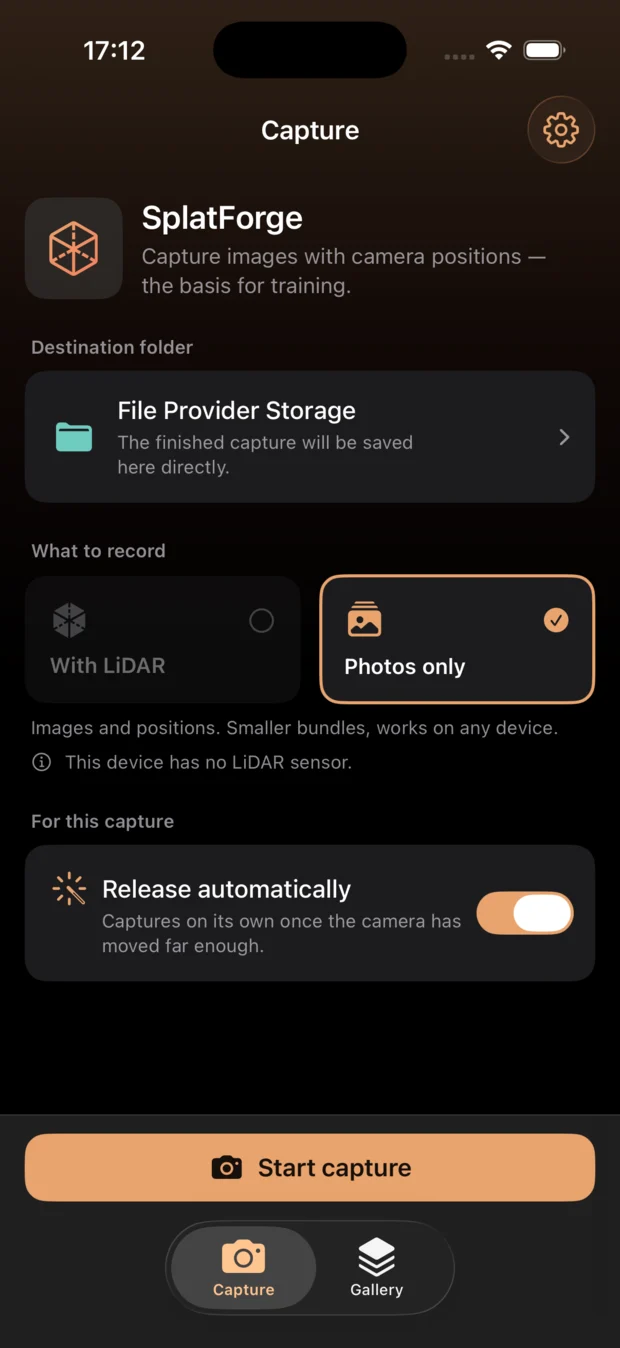
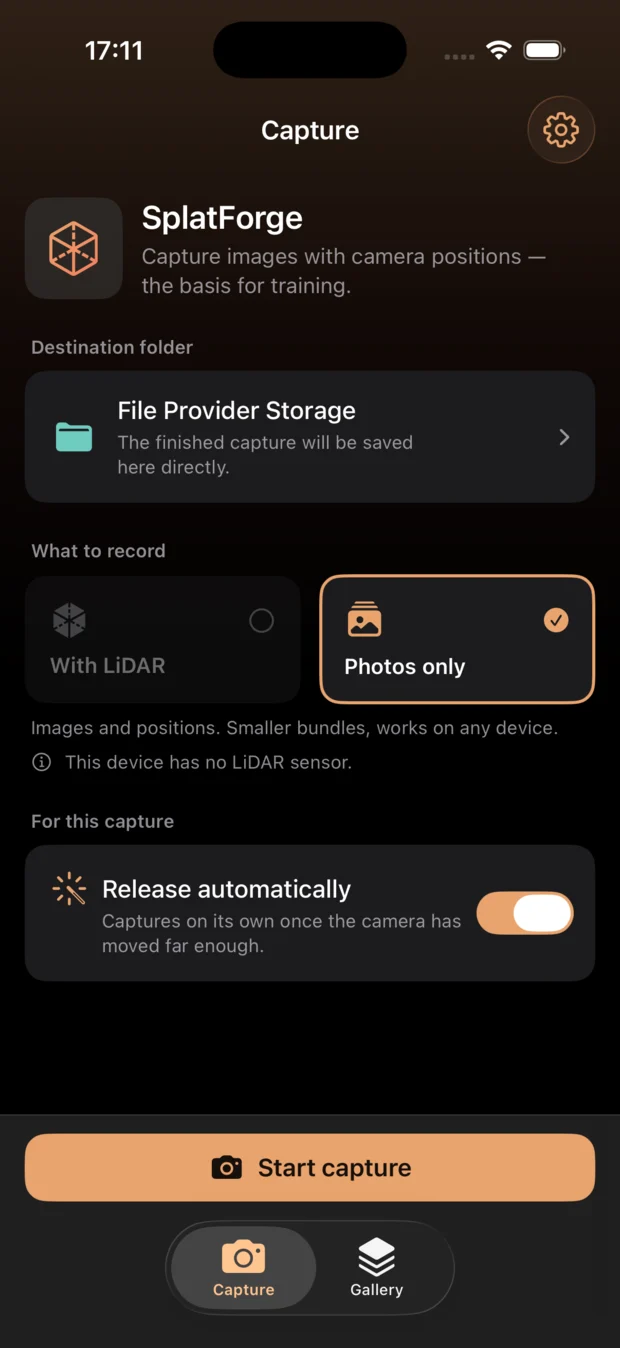
The capture app's start screen: destination folder, LiDAR or photos only, automatic shutter.

Put it on your Mac.

System
macOS 14 or later
Chip
Apple silicon recommended
Needs
COLMAP · FFmpeg · Brush or OpenSplat
Language
English and German
Download for macOS

SplatForge is delivered as a Mac download. The link lands here when the release is ready.